
Most Common Troubleshooting Tips
Battery Test
Battery Test: Press physical button on phone (3 seconds and release).
You should see the following:
- Light on the side of health band flashes green or blue = proceed.
- Light on the side of health band flashes red or no flash = charge for 1 hour
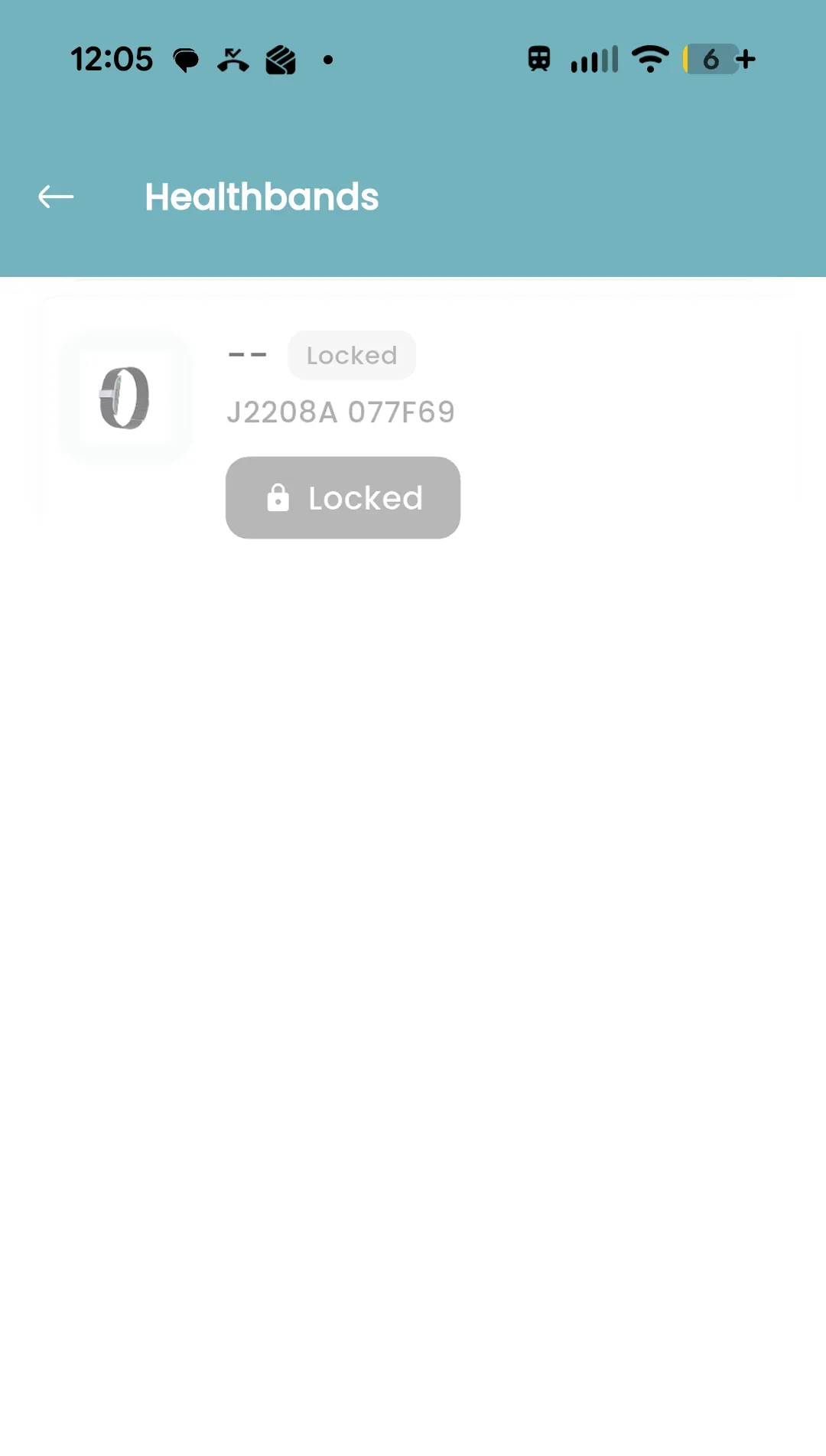
Healthband Showing Locked
For security, each Healthflexx Band can only be paired to one user at a time. Once paired, the device is locked to that user until it is released.
Occasionally, in environments where multiple unpaired devices are nearby, a user may accidentally claim the wrong band.
To avoid this, we recommend pairing your device at home or in a location where no other Healthflexx Bands are within range.
If you are not near any other devices, your band is charged, and it still appears as Locked, it is likely that someone else in your organization accidentally paired with your device.
To have the device released, please email support@healthflexxinc.com and include:
A screenshot of the Locked Device message
Our support team will quickly release the device so you can complete the pairing process.
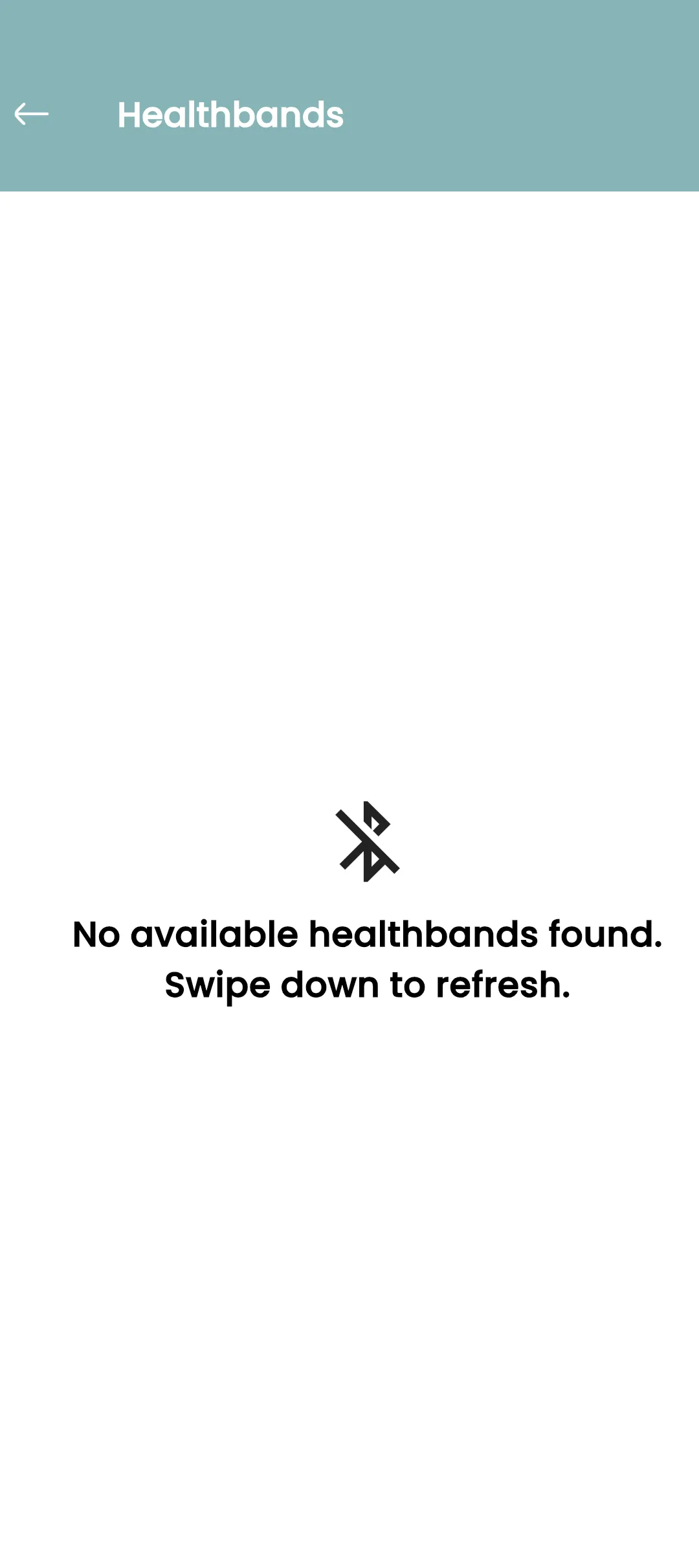
Ensure Bluetooth is Enabled on your Phone
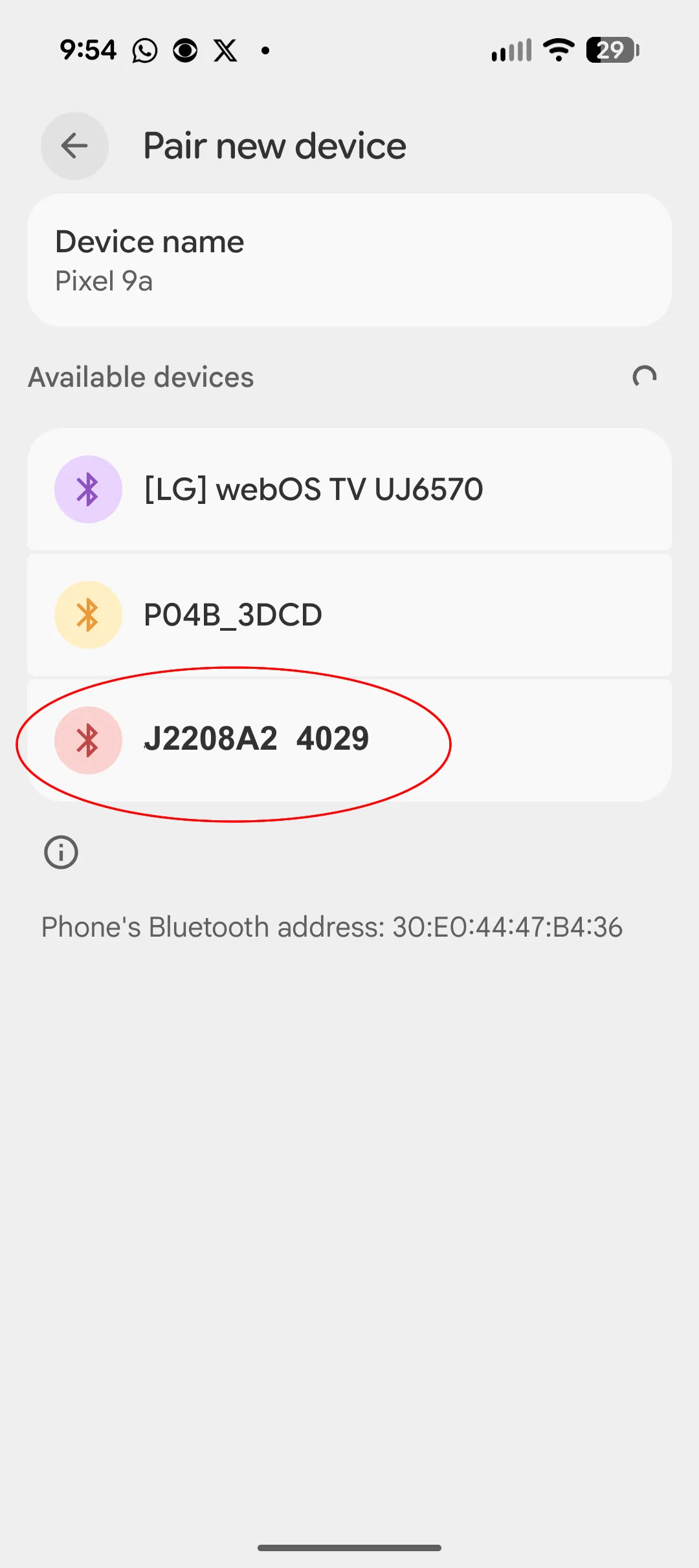
For this test you need to ensure you are not in close proximity of other coworker health bands (30 Yards). Navigate to Bluetooth on your phone, turn on and see all devices.
- Ensure Bluetooth is turned ON, on your phone.
- You should see a device that starts with J200BA2 (4 Digits)
- Open the HealthFlexx AI app, navigate to the HealthStride Center and try and pair.
If you are seeing the device in your primary Bluetooth try, but not in the HealthFlexx app, proceed to the following test.
Bluetooth Test On iPhone
Bluetooth (iPhone Specific): On iPhones, there is an app level setting for Bluetooth.
- Users may see that their phone's Bluetooth is "turned-on", but need to verify the app level setting is also turned on.
- Turn on and navigate back to the app to pair healthband
Try Another Phone or Tablet/iPad
- If you have access to a secondary Android/iPhone/Tablet or iPad, you can put the HealthFlexx AI app on the phone and login with your same credentials.
- This helps identify quickly if the healthband and your original phone are not "playing well together".

Want to be a real "Techie"? For Advanced Troubleshooting!
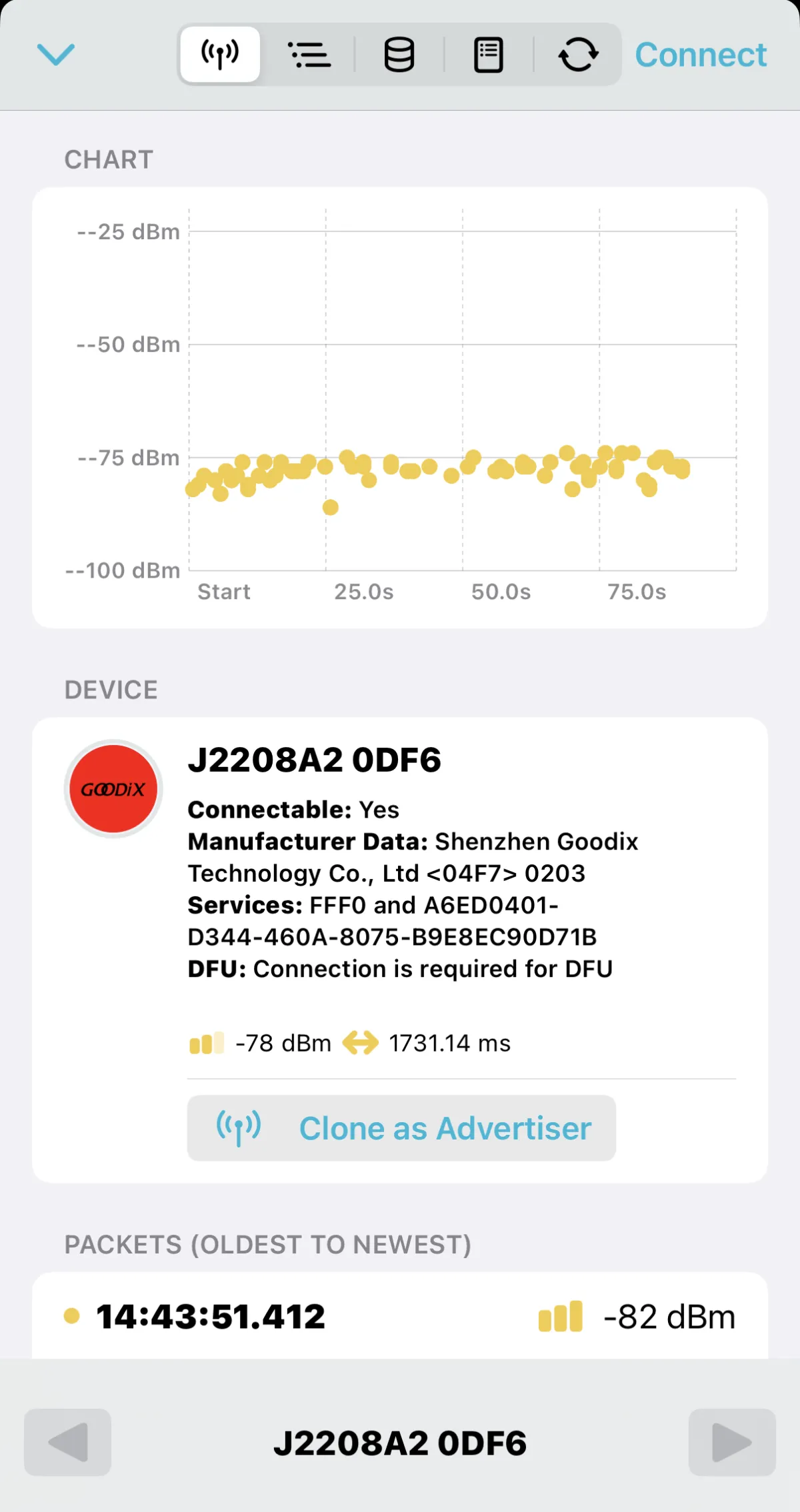
- If you are feeling really "techie" and want to use a "Bluetooth Sniffer" to see if the the healthband is sending a single, but for some reason your phone isn't seeing it.
This will show every Bluetooth Broadcast in the area, you are looking for a broadcast that looks like the image shown: J2208A2 (4 Additional Numbers). If the sniffer picks it up but your phone doesn't it is likely a phone setting issue!
Plus how many people can say they did some advanced troubleshooting with a "Bluetooth Sniffer" today or ever for that matter!
There is a free app called nRF by Nordic.
nRF by Nordic on IPHONE: https://apps.apple.com/us/app/nrf-connect-for-mobile/id1054362403
nRF by Nordic on Android https://play.google.com/store/apps/details?hl=en-US&id=no.nordicsemi.android.mcp&utm_source=chatgpt.com
If you are still not seeing the Healthband Contact:
support@healthflexxinc.com
Join Our Newsletter!
Stay in the loop of new products, case studies, research, clinical trials and industry news and updates!
NAVIGATION
SOCIAL
HEADQUARTERS (US)
HEALTHFLEXX, Inc
607 W 77th St South Dr
Indianapolis, IN 46260
P: 888.243.9102
E: support@healthflexxinc.com
All Rights Reserved 2026. HEALTHFLEXX, Inc
LinkedIn
Youtube